
CI/CD for Beginners: A Simple Guide
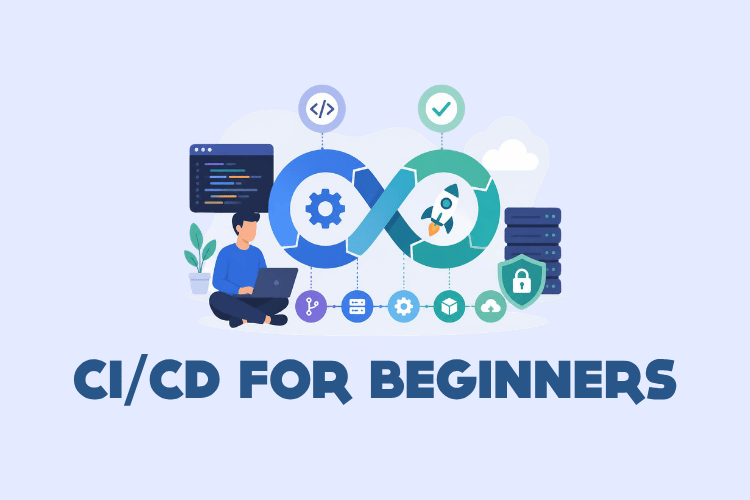
Continuous Integration and Continuous Delivery (CI/CD) is a cornerstone of modern software development. If you're new to CI/CD for beginners, this simple guide will walk you through the essential concepts, tools, and practices. CI/CD automates the building, testing, and deployment of code, enabling teams to release software faster and with fewer errors. In this guide, you'll learn what CI/CD is, why it matters, how to set up your first pipeline, and best practices to follow. CI/CD is as much about culture as it is about tools.
- CI/CD stands for Continuous Integration and Continuous Delivery (or Deployment).
- CI automates code integration and testing; CD automates delivery to production.
- Popular CI/CD tools include GitHub Actions, GitLab CI/CD, Jenkins, and CircleCI.
- A CI/CD pipeline typically has stages: source, build, test, deploy.
- Best practices include committing often, maintaining a single source repository, and automating everything.
What is CI/CD? Understanding Continuous Integration and Continuous Delivery
CI/CD is a set of practices and tools that enable software teams to deliver changes rapidly and reliably. The acronym encompasses Continuous Integration (CI), Continuous Delivery (CD), and sometimes Continuous Deployment. Let's break down each part.
Continuous Integration (CI)
Continuous Integration is the practice of merging all developers' working copies to a shared mainline several times a day. Each merge triggers an automated build and test suite to detect integration errors as quickly as possible. The goal is to avoid the "integration hell" that occurs when developers work in isolation for long periods.
In a CI workflow, developers commit code to a shared repository, and a CI server automatically runs the build and tests. If the build fails, the team is notified immediately, and the offending change is fixed or reverted. This keeps the codebase healthy.
Continuous Delivery (CD)
Continuous Delivery extends CI by automatically deploying all code changes to a testing or staging environment after the build stage. It ensures the software can be released to production at any time. The key is that the deployment to production is a manual decision, but the process is automated up to that point.
With Continuous Delivery, every change goes through a pipeline that includes automated testing and deployment to a staging environment. This gives stakeholders confidence that the release will work as expected.
Continuous Deployment (also CD)
Continuous Deployment goes one step further: every change that passes all stages of the pipeline is automatically released to production. There is no manual approval. This requires a high level of test automation and monitoring to avoid shipping bugs. Companies like Netflix and Etsy use continuous deployment to release hundreds of times per day.
Why CI/CD Matters: Benefits for Beginners and Teams
Adopting CI/CD can transform how a team builds software. For beginners, understanding the benefits helps justify the initial learning curve. Here are the main advantages:
- Faster releases: Automating build, test, and deployment reduces manual work and shortens release cycles.
- Fewer bugs: Automated tests catch issues early, before they reach production.
- Improved collaboration: A shared pipeline and consistent process align developers, testers, and operations.
- Higher confidence: Knowing that every change is verified by a pipeline reduces release anxiety.
- Better code quality: Frequent integration encourages smaller, more manageable changes.
For a beginner, starting with a simple CI pipeline that runs tests on every push is a great first step. It immediately provides value by catching errors early.
Key CI/CD Concepts and Terminology
Before diving into tools, it's important to understand the vocabulary. Here are essential CI/CD terms explained simply:
- Pipeline: A series of automated steps that take code from version control to deployment.
- Job: A set of commands that run in a specific environment, often as part of a pipeline stage.
- Stage: A logical grouping of jobs, such as build, test, or deploy.
- Runner/Agent: The machine or container that executes the pipeline jobs.
- Artifact: A file or package produced by a build, such as a JAR, Docker image, or binary.
- Repository: The version control system (e.g., Git) that stores the code.
- Commit: A change to the codebase that triggers the pipeline.
- Environment: The target where software runs, e.g., development, staging, production.
Understanding these terms will help you navigate documentation and tutorials more easily.
How a CI/CD Pipeline Works: Stages Explained
A typical CI/CD pipeline consists of several stages that code passes through. Each stage has a specific purpose and can include multiple jobs. Let's explore the common stages.
Source Stage
The pipeline begins when a developer pushes code to a repository. The CI/CD tool detects the change (via webhook or polling) and starts the pipeline. The source stage checks out the code and prepares it for building.
Build Stage
In the build stage, the code is compiled, dependencies are installed, and an artifact is created. For interpreted languages like Python or JavaScript, the build might simply install dependencies and bundle assets. For compiled languages like Java or C++, it compiles the source.
Test Stage
Automated tests run in this stage. This can include unit tests, integration tests, and end-to-end tests. The goal is to verify that the code works as expected and doesn't break existing functionality. If any test fails, the pipeline stops, and the team is notified.
Deploy Stage
After tests pass, the artifact is deployed to an environment. In Continuous Delivery, it deploys to staging; in Continuous Deployment, it goes to production. Deployment can involve copying files, running database migrations, or updating container orchestration.
Some pipelines also include a release stage for manual approval or a monitoring stage to check performance after deployment.
Popular CI/CD Tools for Beginners
Many CI/CD tools are available, each with its own strengths. Here are the most beginner-friendly options.
GitHub Actions
GitHub Actions is integrated directly into GitHub, making it easy to start. You define workflows in YAML files stored in your repository. It supports a wide range of languages and has a marketplace of pre-built actions.
Here's a simple GitHub Actions workflow that runs tests for a Node.js project:
name: Node.js CI

on:
  push:
    branches: [ main ]
  pull_request:
    branches: [ main ]

jobs:
  build:
    runs-on: ubuntu-latest

    steps:
    - uses: actions/checkout@v4
    - name: Use Node.js
      uses: actions/setup-node@v4
      with:
        node-version: '20'
    - run: npm ci
    - run: npm test
This workflow triggers on pushes and pull requests to the main branch. It checks out the code, sets up Node.js 20, installs dependencies with npm ci, and runs tests. If any step fails, the workflow fails and GitHub notifies you.
GitLab CI/CD
GitLab CI/CD is built into GitLab and uses a .gitlab-ci.yml file at the root of your repository. It's known for its powerful features and good documentation. Here's an example for a Python project:
stages:
  - test
  - deploy

test:
  stage: test
  image: python:3.11
  script:
    - pip install -r requirements.txt
    - pytest

deploy:
  stage: deploy
  script:
    - echo "Deploying to production..."
  only:
    - main
This pipeline has two stages: test and deploy. The test stage runs in a Python 3.11 Docker image, installs dependencies, and runs pytest. The deploy stage is a placeholder that only runs on the main branch.
Jenkins
Jenkins is a self-hosted, open-source automation server. It's highly extensible with plugins but requires more setup than cloud-based tools. You define pipelines in a Jenkinsfile using either declarative or scripted syntax. Here's a declarative example:
pipeline {
    agent any
    stages {
        stage('Build') {
            steps {
                echo 'Building...'
                sh 'make build'
            }
        }
        stage('Test') {
            steps {
                echo 'Testing...'
                sh 'make test'
            }
        }
        stage('Deploy') {
            steps {
                echo 'Deploying...'
                sh 'make deploy'
            }
        }
    }
}
This Jenkinsfile defines three stages: Build, Test, and Deploy. Each stage runs shell commands. Jenkins requires a running server and configuration, but it's a powerful choice for complex needs.
CircleCI and Travis CI
CircleCI and Travis CI are cloud-based CI/CD services that integrate with GitHub and Bitbucket. They use YAML configuration files. CircleCI, for example, uses a .circleci/config.yml file. These tools are great for open-source projects and quick setups.
Setting Up Your First CI/CD Pipeline: Step-by-Step
Let's walk through setting up a simple CI pipeline using GitHub Actions. This is one of the easiest ways to start with CI/CD for beginners.
- Create a GitHub repository and push your project code to it.
- Ensure your project has tests that can run from the command line.
- Create a workflow file in your repository under
.github/workflows/ci.yml. - Define the workflow to install dependencies and run tests.
- Commit and push the workflow file. GitHub will automatically run the pipeline.
- Check the results in the "Actions" tab of your repository.
Here's an example workflow for a Python project using pytest:
name: Python CI

on: [push, pull_request]

jobs:
  test:
    runs-on: ubuntu-latest
    steps:
    - uses: actions/checkout@v4
    - name: Set up Python
      uses: actions/setup-python@v5
      with:
        python-version: '3.11'
    - name: Install dependencies
      run: |
        python -m pip install --upgrade pip
        pip install -r requirements.txt
    - name: Run tests
      run: pytest
After pushing this file, every push and pull request will trigger the pipeline. You'll see a status check on your commits and pull requests. If tests fail, you'll get an email notification and the pull request will be blocked (if branch protection is enabled).
Best Practices for CI/CD Implementation
Following best practices ensures your CI/CD pipeline is efficient and reliable. Here are key recommendations:
- Commit often: Small, frequent commits make it easier to identify issues.
- Maintain a single source repository: Everyone should work from the same codebase.
- Automate the build: The build should be fully automated and run on every commit.
- Make the build self-testing: Include automated tests in the pipeline.
- Keep the pipeline fast: Optimize tests and parallelize jobs to get feedback quickly.
- Use ephemeral environments: Build in clean, disposable environments to avoid "it works on my machine" issues.
- Version control everything: Including pipeline configuration, scripts, and infrastructure as code.
- Monitor and log: Keep detailed logs of pipeline runs for debugging.
- Secure secrets: Never hardcode credentials; use secrets management.
Treat your pipeline as a product: it serves your team and deserves maintenance.
Common Mistakes and How to Avoid Them
Beginners often encounter pitfalls when adopting CI/CD. Here are common mistakes and how to avoid them:
- Not running tests locally: Always run tests locally before committing to avoid breaking the build.
- Ignoring the pipeline: Treat a red pipeline as a stop-the-line event; fix it immediately.
- Overcomplicating the pipeline: Start simple and add complexity as needed.
- Storing secrets in code: Use environment variables or secret managers provided by your CI/CD tool.
- Skipping staging: Always test in an environment that mirrors production before deploying.
- Not monitoring deployments: After deployment, monitor application health to catch issues early.
- Assuming CI/CD is only for big teams: Even solo developers benefit from automated testing and deployment.
Performance and Security Considerations in CI/CD
As you advance, consider performance and security to keep your pipeline robust.
Performance
- Cache dependencies: Use caching to avoid downloading dependencies every run.
- Parallelize jobs: Run independent tests in parallel to reduce total pipeline time.
- Use faster runners: Choose runners with more CPU/RAM for heavy builds.
- Optimize test suites: Remove redundant tests and use test impact analysis.
Security
- Least privilege: Grant minimal permissions to CI/CD runners and service accounts.
- Scan for vulnerabilities: Integrate security scanning (SAST, DAST) into the pipeline.
- Secure secrets: Use encrypted secrets and avoid printing them in logs.
- Sign artifacts: Ensure artifacts are signed and verified before deployment.
- Audit logs: Enable audit logging for pipeline activities.
Real-World Use Cases of CI/CD
CI/CD is used across industries and project sizes. Here are some real-world examples:
- Web applications: A startup uses GitHub Actions to run tests on every pull request and deploy to AWS Elastic Beanstalk on merge to main.
- Mobile apps: A mobile team uses Bitrise to build, test, and distribute iOS and Android apps to testers automatically.
- Microservices: An enterprise uses Jenkins pipelines to build Docker images, run integration tests, and deploy to Kubernetes.
- Open-source projects: Many open-source projects use Travis CI or CircleCI to run tests on contributions, ensuring code quality.
- Data pipelines: Data teams use CI/CD to test and deploy ETL scripts and machine learning models.
Frequently Asked Questions About CI/CD
What is the difference between CI and CD?
CI (Continuous Integration) focuses on automatically building and testing code changes. CD (Continuous Delivery) extends CI by automatically deploying to a staging environment and preparing for production release. Continuous Deployment is a further step where every change that passes tests is automatically released to production.
Do I need CI/CD for a small project?
Yes, even small projects benefit from CI/CD. Automated testing catches bugs early, and automated deployment saves time. You can start with a simple pipeline that runs tests on every push, which is easy to set up with tools like GitHub Actions.
What tools should a beginner start with?
GitHub Actions is ideal for beginners because it's integrated into GitHub and has a gentle learning curve. GitLab CI/CD is also beginner-friendly, especially if you use GitLab for version control. Jenkins is powerful but requires more setup, so it's better for those with some experience.
How long does it take to set up a CI/CD pipeline?
A basic CI pipeline can be set up in under an hour if you're familiar with your project's build and test commands. A full pipeline with deployment might take a few days to configure properly, depending on complexity and environment setup.
Is CI/CD only for web applications?
No, CI/CD applies to any software project: mobile apps, desktop applications, embedded systems, and even infrastructure as code. The principles are the same: automate build, test, and deployment processes.
What is a CI/CD pipeline?
A CI/CD pipeline is an automated sequence of steps that code changes go through, from version control to deployment. It typically includes stages like source, build, test, and deploy. The pipeline ensures that every change is validated before reaching production.
Next Steps: Your CI/CD Learning Journey
Now that you understand the basics of CI/CD for beginners, it's time to put knowledge into practice. Here are actionable next steps:
- Set up a simple CI pipeline for one of your projects using GitHub Actions or GitLab CI/CD.
- Add automated tests if you don't have them. Start with unit tests for critical functions.
- Experiment with deployment to a staging environment using a tool like Heroku, Vercel, or AWS.
- Learn about Infrastructure as Code (IaC) with tools like Terraform or Ansible to automate environment setup.
- Explore advanced topics like blue-green deployments, canary releases, and feature flags.
- Join communities like DevOps subreddits or CI/CD forums to learn from others.
CI/CD is a journey, not a destination. Start small, iterate, and gradually mature your pipeline. The investment in automation pays off with faster, more reliable software delivery.