
What Is Cloud Computing? A Complete Guide for 2025
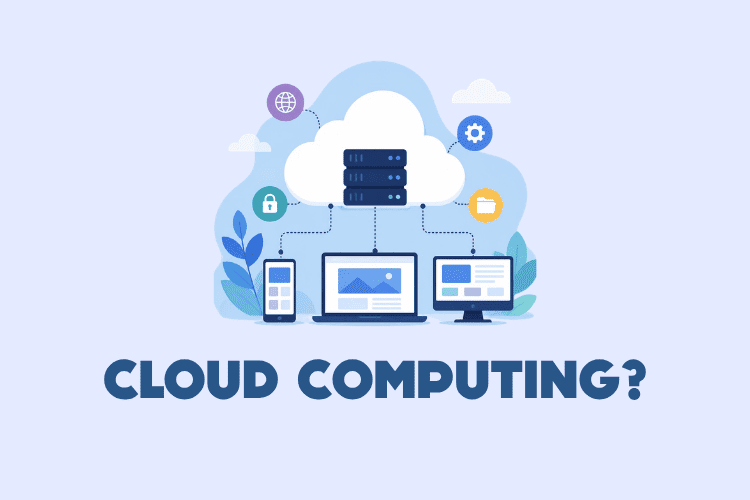
Cloud computing has become the backbone of modern digital infrastructure. Instead of buying and maintaining physical servers, organizations rent computing resources—servers, storage, databases, networking, software—over the internet on a pay-as-you-go basis. This article provides a comprehensive guide to cloud computing, covering its definition, service and deployment models, benefits, use cases, code examples, security, cost optimization, and more.
- Cloud computing delivers on-demand IT resources over the internet with pay-as-you-go pricing.
- The three main service models are IaaS, PaaS, and SaaS; serverless (FaaS) is also popular.
- Deployment models include public, private, hybrid, and community clouds.
- Major providers are AWS, Microsoft Azure, and Google Cloud Platform.
- Cloud computing enables scalability, cost savings, global reach, and rapid innovation.
What Is Cloud Computing?
Cloud computing is the delivery of computing services—including servers, storage, databases, networking, software, analytics, and intelligence—over the internet (“the cloud”) to offer faster innovation, flexible resources, and economies of scale. You typically pay only for the cloud services you use, helping lower your operating costs, run your infrastructure more efficiently, and scale as your business needs change.
In simpler terms, cloud computing means storing and accessing data and programs over the internet instead of on your computer's hard drive. The cloud is just a metaphor for the internet.
The NIST Definition of Cloud Computing
The National Institute of Standards and Technology (NIST) defines cloud computing as a model for enabling ubiquitous, convenient, on-demand network access to a shared pool of configurable computing resources (e.g., networks, servers, storage, applications, and services) that can be rapidly provisioned and released with minimal management effort or service provider interaction.
Essential Characteristics of Cloud Computing
- On-demand self-service: Consumers can provision computing capabilities automatically without requiring human interaction with each service provider.
- Broad network access: Capabilities are available over the network and accessed through standard mechanisms (e.g., mobile phones, laptops, tablets).
- Resource pooling: Provider's computing resources are pooled to serve multiple consumers using a multi-tenant model.
- Rapid elasticity: Capabilities can be elastically provisioned and released to scale rapidly outward and inward commensurate with demand.
- Measured service: Cloud systems automatically control and optimize resource use by leveraging a metering capability.
Cloud Computing vs. Traditional IT
Traditional IT involves owning and maintaining physical hardware in a data center. This requires capital investment, ongoing maintenance, and capacity planning. Cloud computing shifts to an operational expenditure model, with instant scalability and no hardware management.
The Evolution of Cloud Computing
Cloud computing evolved from several computing paradigms: mainframes, client-server, grid computing, utility computing, and virtualization. The term “cloud” became popular in the 2000s when Amazon launched AWS in 2006, followed by Google App Engine and Microsoft Azure.
Today, cloud computing is a trillion-dollar industry, underpinning everything from streaming services to AI models.
How Cloud Computing Works: Architecture and Technologies
Cloud computing works through a combination of hardware, software, networking, and virtualization. At a high level, cloud providers operate large data centers filled with servers, storage systems, and networking equipment. These resources are virtualized and offered to customers via APIs and web interfaces.
Cloud Architecture: Front End and Back End
The front end is what the user sees—typically a web browser or client application. The back end is the cloud itself, comprising servers, storage, databases, and virtualization software. A network connects the two, usually the internet.
Virtualization and Hypervisors
Virtualization is the cornerstone of cloud computing. It allows multiple virtual machines (VMs) to run on a single physical server. A hypervisor (or virtual machine monitor) is software that creates and runs VMs. Popular hypervisors include VMware ESXi, KVM, and Xen.
Containers and Orchestration
Containers package applications and dependencies into a single unit, enabling consistency across environments. Docker is the most popular containerization platform. Kubernetes is the de facto standard for orchestrating containers at scale.
Kubernetes abstracts the underlying infrastructure, allowing you to deploy and manage containerized applications across a cluster of machines. It handles scaling, self-healing, and load balancing.
APIs and Automation
Cloud providers expose APIs that allow programmatic management of resources. This enables automation, infrastructure as code (IaC), and DevOps practices. For example, you can use the AWS CLI or SDKs to create and manage resources.
Here is a simple AWS CLI command to create an S3 bucket:
aws s3 mb s3://my-unique-bucket-nameThis command uses the AWS CLI to make a new S3 bucket. The bucket name must be globally unique. After running, the bucket is created in your default region.
Cloud Service Models: IaaS, PaaS, and SaaS
Cloud services are typically categorized into three main models: Infrastructure as a Service (IaaS), Platform as a Service (PaaS), and Software as a Service (SaaS). A fourth model, Function as a Service (FaaS), is a subset of serverless computing.
Infrastructure as a Service (IaaS)
IaaS provides virtualized computing resources over the internet. You rent IT infrastructure—servers, VMs, storage, networks, operating systems—on a pay-as-you-go basis. You manage the operating system, middleware, and applications, while the provider manages the underlying infrastructure.
Examples: Amazon EC2, Google Compute Engine, Microsoft Azure Virtual Machines.
Platform as a Service (PaaS)
PaaS provides a platform allowing customers to develop, run, and manage applications without the complexity of building and maintaining the infrastructure. You manage only your applications and data; the provider manages the runtime, middleware, and OS.
Examples: AWS Elastic Beanstalk, Google App Engine, Heroku, Microsoft Azure App Service.
Software as a Service (SaaS)
SaaS delivers software applications over the internet, on a subscription basis. The provider manages everything—infrastructure, platform, and application. Users simply access the software via a web browser or API.
Examples: Google Workspace (Gmail, Docs), Microsoft 365, Salesforce, Dropbox.
Function as a Service (FaaS) and Serverless
FaaS is a cloud computing model that allows you to run code in response to events without provisioning or managing servers. You pay only for the compute time you consume. It is often called serverless computing, though servers are still involved.
Examples: AWS Lambda, Azure Functions, Google Cloud Functions.
Cloud Deployment Models: Public, Private, Hybrid, and Community
Deployment models define how cloud resources are provisioned and accessed. The choice depends on factors like security, compliance, cost, and control.
Public Cloud
In a public cloud, resources are owned and operated by a third-party cloud service provider and delivered over the internet. Multiple organizations share the same infrastructure. Examples: AWS, Azure, GCP.
Private Cloud
A private cloud is used exclusively by a single organization. It can be physically located on the company's on-site data center or hosted by a third-party provider. It offers greater control and security but is more expensive.
Hybrid Cloud
A hybrid cloud combines public and private clouds, allowing data and applications to be shared between them. This provides greater flexibility, deployment options, and optimization of existing infrastructure.
Community Cloud
A community cloud is shared by several organizations with common concerns (e.g., security, compliance, jurisdiction). It can be managed by the organizations or a third party.
Key Benefits of Cloud Computing
Cloud computing offers numerous advantages over traditional on-premises IT. Here are the most significant benefits.
Cost Efficiency
You avoid large capital expenditures on hardware and software. Instead, you pay for what you use, turning capital expenses into operational expenses. This reduces waste and allows you to focus on core business.
Scalability and Elasticity
Cloud resources can be scaled up or down quickly based on demand. This elasticity ensures you have the right amount of resources at the right time, without over-provisioning.
High Availability and Disaster Recovery
Cloud providers offer redundant infrastructure across multiple regions and availability zones. This ensures high availability and enables disaster recovery without the cost of a secondary data center.
Global Reach
You can deploy applications in multiple geographic regions within minutes, allowing you to serve customers worldwide with low latency.
Security and Compliance
Major cloud providers invest heavily in security and compliance certifications. They offer tools like encryption, identity management, and threat detection. However, security is a shared responsibility.
Innovation and Speed
Cloud providers continuously release new services and features. You can experiment quickly, fail fast, and innovate without heavy upfront investment.
Common Cloud Computing Use Cases
Cloud computing is used across virtually every industry. Here are some common use cases.
Web and Mobile Applications
Hosting web and mobile backends on the cloud provides scalability, reliability, and global reach. You can use services like AWS Amplify, Azure App Service, or Google Firebase.
Data Storage and Backup
Cloud storage services like Amazon S3, Google Cloud Storage, and Azure Blob Storage offer durable, scalable, and cost-effective storage for backups, archives, and media.
Big Data Analytics
Cloud platforms provide managed analytics services (e.g., Amazon EMR, Google BigQuery, Azure Synapse) to process large datasets without managing clusters.
Machine Learning and AI
Cloud providers offer pre-built AI services and ML platforms (e.g., AWS SageMaker, Google AI Platform, Azure Machine Learning) to build, train, and deploy models at scale.
DevOps and CI/CD
Cloud enables DevOps practices with services for source control, build, test, and deployment. Examples: AWS CodePipeline, Azure DevOps, Google Cloud Build.
Internet of Things (IoT)
Cloud platforms provide IoT services to connect, manage, and analyze data from billions of devices. Examples: AWS IoT Core, Azure IoT Hub, Google Cloud IoT.
Disaster Recovery
Cloud-based disaster recovery (DR) offers cost-effective, scalable, and automated recovery options. You can replicate data and applications to the cloud and fail over when needed.
Major Cloud Computing Providers
The cloud market is dominated by three major providers: AWS, Microsoft Azure, and Google Cloud Platform. Each has strengths and unique offerings.
Amazon Web Services (AWS)
AWS is the market leader, offering the broadest range of services and global infrastructure. It is known for its maturity, reliability, and extensive ecosystem.
Microsoft Azure
Azure is deeply integrated with Microsoft products and enterprise environments. It offers strong hybrid cloud capabilities and is popular among enterprises.
Google Cloud Platform (GCP)
GCP is known for its data analytics, machine learning, and Kubernetes expertise. It offers competitive pricing and innovative services.
Other Providers
Other notable providers include IBM Cloud, Oracle Cloud, Alibaba Cloud, and DigitalOcean. Smaller providers may offer specialized services or simpler pricing.
Getting Started with Cloud Computing: Code Examples
To get hands-on, you can use command-line tools, SDKs, and infrastructure as code. Below are practical examples.
Using the AWS CLI
First, install and configure the AWS CLI. Then you can run commands to manage resources.
aws s3 lsThis lists all S3 buckets in your account. It is a quick way to see your storage resources.
Using Python with Boto3
Boto3 is the AWS SDK for Python. It allows you to create, configure, and manage AWS services programmatically.
import boto3

# Create an S3 client
s3 = boto3.client('s3')

# Create a bucket
s3.create_bucket(Bucket='my-python-bucket-12345')

print('Bucket created successfully')
This script creates an S3 bucket with the specified name. The bucket name must be unique across all AWS accounts. The script uses the default region from your AWS configuration.
Infrastructure as Code with Terraform
Terraform by HashiCorp is an open-source IaC tool that lets you define cloud resources in configuration files.
provider "aws" {
  region = "us-east-1"
}

resource "aws_s3_bucket" "example" {
  bucket = "my-terraform-bucket-12345"
  acl    = "private"
}
This Terraform configuration creates a private S3 bucket in the us-east-1 region. You would run terraform init and terraform apply to provision it.
Containerization with Docker
Docker allows you to package applications into containers. Here is a simple Dockerfile for a Python web app.
FROM python:3.9-slim
WORKDIR /app
COPY requirements.txt .
RUN pip install -r requirements.txt
COPY . .
CMD ["python", "app.py"]
This Dockerfile builds an image with your Python application and its dependencies. You can then run it anywhere Docker is installed.
Orchestration with Kubernetes
Kubernetes manages containerized applications. Here is a simple deployment YAML.
apiVersion: apps/v1
kind: Deployment
metadata:
  name: nginx-deployment
spec:
  replicas: 3
  selector:
    matchLabels:
      app: nginx
  template:
    metadata:
      labels:
        app: nginx
    spec:
      containers:
      - name: nginx
        image: nginx:1.21
        ports:
        - containerPort: 80
This defines a deployment that runs three replicas of the nginx container. Apply it with kubectl apply -f deployment.yaml.
Serverless with AWS Lambda
AWS Lambda lets you run code without servers. Here is a simple Python function.
import json

def lambda_handler(event, context):
    return {
        'statusCode': 200,
        'body': json.dumps('Hello from Lambda!')
    }
This function returns a JSON response. You can trigger it via API Gateway, S3 events, or other AWS services.
Using Azure CLI
Azure CLI is a command-line tool for managing Azure resources.
az group create --name myResourceGroup --location eastusThis creates a resource group in the East US region.
Using Google Cloud SDK
The gcloud CLI manages Google Cloud resources.
gcloud storage buckets create gs://my-gcp-bucket --location=us-central1This creates a new Cloud Storage bucket in the us-central1 region.
Using Node.js with AWS SDK
The AWS SDK for JavaScript allows you to interact with AWS services from Node.js.
const AWS = require('aws-sdk');
const s3 = new AWS.S3();

const params = {
  Bucket: 'my-node-bucket-12345',
  Key: 'hello.txt',
  Body: 'Hello, cloud!'
};

s3.putObject(params, (err, data) => {
  if (err) console.log(err);
  else console.log('File uploaded successfully');
});
This uploads a text file to an S3 bucket. Ensure your AWS credentials are configured.
Cloud Security Best Practices
Security in the cloud is a shared responsibility between the provider and the customer. Here are essential practices.
Identity and Access Management (IAM)
Use IAM to create users, groups, and roles with least privilege. Enable multi-factor authentication (MFA) and rotate credentials regularly.
Encryption
Encrypt data at rest and in transit. Use provider-managed keys or bring your own keys (BYOK).
Network Security
Use security groups, network ACLs, and private subnets to control traffic. Consider a web application firewall (WAF) for public endpoints.
Monitoring and Logging
Enable logging and monitoring services (e.g., AWS CloudTrail, Azure Monitor, Google Cloud Logging) to detect and respond to incidents.
Shared Responsibility Model
Understand what the provider secures (e.g., physical infrastructure) and what you must secure (e.g., data, access management).
Cloud Cost Optimization and Performance
While cloud computing can save money, unmanaged costs can spiral. Performance also requires attention.
Right-Sizing Resources
Choose the appropriate instance types and sizes for your workload. Monitor utilization and adjust as needed.
Reserved Instances and Savings Plans
Commit to a certain amount of usage for 1-3 years in exchange for significant discounts (up to 72% for AWS).
Auto-Scaling
Automatically adjust capacity based on demand. This improves performance and reduces cost during low-traffic periods.
Monitoring and Cost Management Tools
Use native tools like AWS Cost Explorer, Azure Cost Management, and GCP Cost Management. Set budgets and alerts.
Performance Considerations
Choose regions close to your users, use CDNs, caching, and optimized storage tiers. Regularly review architecture for bottlenecks.
Common Mistakes in Cloud Computing and How to Avoid Them
- Not planning for security: Security must be built in from the start, not bolted on later.
- Over-provisioning resources: Start small and scale based on metrics.
- Ignoring cost management: Set budgets, use tagging, and monitor spending continuously.
- Lack of automation: Use IaC and CI/CD to reduce human error and increase speed.
- Not using multiple availability zones: Design for high availability to avoid single points of failure.
- Neglecting backup and disaster recovery: Test your recovery procedures regularly.
- Vendor lock-in: Use portable technologies where possible, but don't over-optimize prematurely.
- Poor monitoring: Implement comprehensive logging and alerting to detect issues early.
Cloud Migration Strategies
Migrating to the cloud requires a strategy. The 6 Rs framework is commonly used.
Rehost (Lift and Shift)
Move applications as-is to the cloud. This is quick and simple but may not leverage cloud-native benefits.
Replatform
Make minor adjustments to optimize for the cloud, such as moving to a managed database.
Refactor / Re-architect
Redesign applications to be cloud-native, using microservices and serverless. This is more effort but yields maximum benefits.
Repurchase
Move to a different product, often SaaS. For example, replacing a self-hosted CRM with Salesforce.
Retire
Decommission applications that are no longer needed.
Retain
Keep some applications on-premises due to compliance, latency, or other constraints.
Cloud Governance and Compliance
Governance ensures cloud usage aligns with business objectives and compliance requirements.
Policies and Standards
Define policies for resource provisioning, security, and cost management. Use service control policies (SCPs) in AWS or Azure Policy.
Auditing and Monitoring
Regularly audit cloud environments for compliance. Use tools like AWS Config, Azure Policy, and Google Cloud Asset Inventory.
Data Residency and Sovereignty
Ensure data is stored in compliant geographic regions. Understand data residency requirements (e.g., GDPR).
Cloud Computing Pricing Models
Cloud pricing varies by service and provider. Common models include:
- On-Demand: Pay for what you use with no commitment.
- Reserved: Commit to a term (1 or 3 years) for discounts.
- Spot/Preemptible: Bid on unused capacity for deep discounts, but instances can be terminated.
- Savings Plans: Flexible pricing model for consistent usage.
Understanding Data Transfer Costs
Data transfer out of the cloud often incurs charges. Design your architecture to minimize egress costs by using CDNs and keeping traffic within a region.
Cloud Computing Performance Optimization
Performance in the cloud depends on architecture, resource selection, and monitoring.
Caching Strategies
Use in-memory caches (e.g., Redis, Memcached) and CDNs to reduce latency and load on backend services.
Database Optimization
Choose the right database type (relational vs. NoSQL), use read replicas, and optimize queries. Managed services like Amazon RDS and DynamoDB offer scalability.
Load Balancing and Auto-Scaling
Distribute traffic across multiple instances and automatically scale based on metrics like CPU utilization or request count.
Cloud Computing Compliance Standards
Compliance is critical for regulated industries. Cloud providers offer compliance certifications and tools.
GDPR
General Data Protection Regulation (EU) requires data protection and privacy. Cloud providers offer GDPR-compliant services and data processing agreements.
HIPAA
Health Insurance Portability and Accountability Act (US) governs healthcare data. AWS, Azure, and GCP offer HIPAA-eligible services and business associate agreements (BAAs).
PCI DSS
Payment Card Industry Data Security Standard applies to card payments. Cloud providers offer PCI DSS compliant environments.
Cloud Computing vs. Edge Computing
Edge computing processes data near the source, reducing latency and bandwidth usage. Cloud computing centralizes processing. They are complementary: edge handles real-time, cloud handles heavy analytics.
When to Use Edge vs. Cloud
Use edge for autonomous vehicles, IoT sensors, and real-time analytics. Use cloud for big data processing, long-term storage, and complex ML training.
Cloud Native Technologies
Cloud native means building applications that leverage cloud computing advantages. Key technologies include containers, service meshes, microservices, immutable infrastructure, and declarative APIs.
Microservices
Microservices architecture breaks applications into small, independent services. This improves scalability and fault isolation.
Service Mesh
A service mesh (e.g., Istio, Linkerd) manages service-to-service communication, providing traffic management, security, and observability.
Immutable Infrastructure
Instead of updating servers, you replace them with new ones. This reduces configuration drift and improves reliability.
Cloud Computing Careers and Certifications
Cloud skills are in high demand. Certifications validate your expertise and boost your career.
Popular Certifications
- AWS Certified Solutions Architect – Associate/Professional
- Microsoft Certified: Azure Administrator Associate
- Google Professional Cloud Architect
- Certified Kubernetes Administrator (CKA)
Job Roles
- Cloud Engineer
- Cloud Architect
- DevOps Engineer
- Site Reliability Engineer (SRE)
- Cloud Security Engineer
The Environmental Impact of Cloud Computing
Cloud data centers consume significant energy. Providers are investing in renewable energy and efficiency. Moving to the cloud can reduce carbon footprint compared to on-premises for many organizations.
Green Cloud Initiatives
AWS, Azure, and GCP have commitments to renewable energy and carbon neutrality. They offer tools to measure and reduce cloud carbon footprint.
Real-World Cloud Computing Case Studies
Many organizations have transformed with cloud computing. Here are a few examples.
Netflix
Netflix migrated to AWS to handle massive scale and global streaming. It uses microservices, auto-scaling, and chaos engineering.
Airbnb
Airbnb uses AWS for its platform, leveraging services like EC2, S3, and RDS to serve millions of users.
Capital One
Capital One adopted AWS to increase agility and reduce costs, becoming a cloud-first bank.
Frequently Asked Questions About Cloud Computing
What is the difference between cloud computing and traditional hosting?
Traditional hosting typically involves renting a single physical server or a portion of it, often with fixed capacity and monthly fees. Cloud computing offers on-demand, scalable resources across a virtualized pool, with pay-as-you-go pricing and greater elasticity.
Is cloud computing secure?
Yes, major cloud providers offer robust security, often exceeding what most organizations can achieve on-premises. However, security is a shared responsibility; you must properly configure access controls, encryption, and monitoring.
What are the main cloud service models?
The main models are Infrastructure as a Service (IaaS), Platform as a Service (PaaS), and Software as a Service (SaaS). Function as a Service (FaaS) is a growing serverless model.
How much does cloud computing cost?
Costs vary widely based on usage, services, and provider. You pay for compute, storage, and data transfer. With careful management, cloud can be more cost-effective than on-premises, but without governance, costs can escalate.
What is serverless computing?
Serverless computing allows you to run code without provisioning or managing servers. The cloud provider handles scaling and infrastructure. You pay only for the compute time your code consumes.
Can I migrate my existing applications to the cloud?
Yes, but migration strategies vary. You can rehost (lift and shift), replatform, refactor, or rebuild. Assess each application for compatibility, performance, and cost before migrating.
What are the core components of cloud computing?
Core components include compute (VMs, containers, functions), storage (object, block, file), networking (VPC, load balancers), databases, and management tools.
What is a cloud region and availability zone?
A region is a geographic area with multiple, isolated data centers called availability zones. AZs are connected with low-latency links, enabling high availability and disaster recovery.
Next Steps in Your Cloud Computing Journey
Cloud computing is a vast and evolving field. To get started, follow these actionable steps:
- Choose a cloud provider and create a free-tier account (AWS, Azure, GCP all offer free tiers).
- Learn the basics of the provider's console and CLI.
- Experiment with core services: compute, storage, and databases.
- Implement infrastructure as code with Terraform or CloudFormation.
- Study security best practices and apply them to your projects.
- Monitor costs and optimize your usage regularly.
- Consider certification paths (e.g., AWS Certified Solutions Architect) to deepen your expertise.
- Stay updated with new services and features, as cloud evolves rapidly.
By understanding the fundamentals and practicing hands-on, you can harness the full potential of cloud computing for your projects and career.